 Aniv AI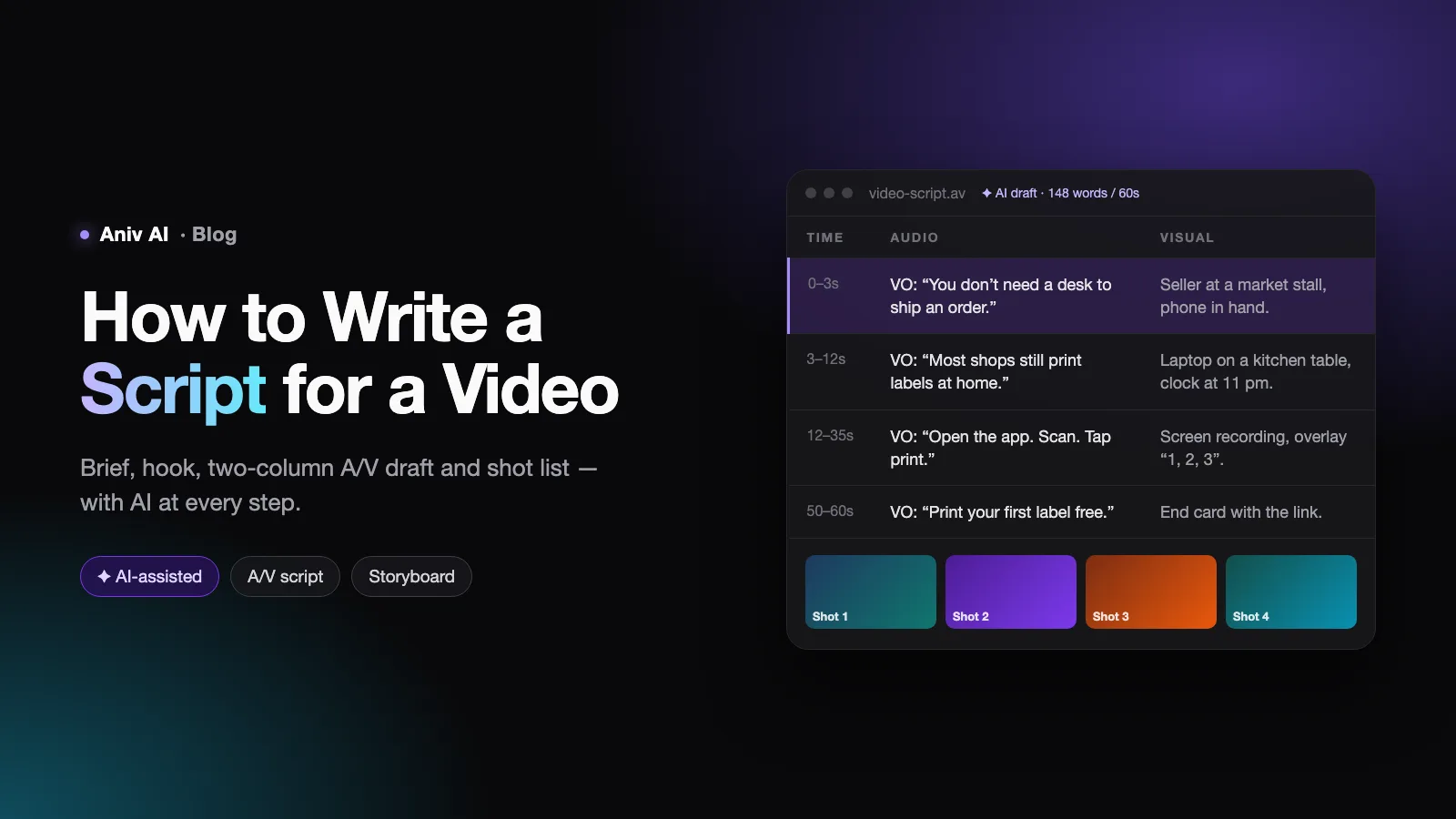
Most video scripts fail before a single line is written. The writer opens a blank document, types "INTRO" at the top, and starts describing what the video is about. Forty minutes later there is a page of prose that reads fine and films terribly: no picture is attached to any sentence, the key point arrives in minute three, and the ending just stops.
A video script is not an essay you read aloud. It is a set of instructions for two channels at once — what the audience hears and what the audience sees — laid out in the order they will experience it. This guide walks through the process working video writers use, step by step, and shows where AI tools genuinely speed each step up and where they quietly make the script worse.
What a video script actually has to do
Before the steps, it helps to be precise about the job. Whatever the format — a 30-second ad, a YouTube explainer, a product demo, a short drama episode — a script has to settle four things:
- What is said. Narration, dialogue, or on-screen speech, word for word.
- What is shown. The shot, the b-roll, the screen recording, the text overlay that sits under each line.
- When it happens. Order and rough duration. A line that takes eight seconds to say needs eight seconds of picture.
- Why the viewer keeps watching. Every section has to earn the next one, or people leave.
If a draft is missing any of the four, it is not finished — no matter how good the sentences are.
Step 1: Write a one-sentence brief
Start with a single sentence that answers three questions: who is watching, what should they know or do by the end, and where will they watch it.
For small-shop owners scrolling Instagram, show in under 60 seconds that they can print shipping labels from their phone, and get them to tap the link.
That sentence decides more than it looks like. "Scrolling Instagram" means vertical 9:16, sound-off viewing, and a hook in the first two seconds. "Under 60 seconds" means one idea, not three. "Tap the link" means the call to action is the whole point, not an afterthought.
Where AI helps here
AI is a good sparring partner for the brief, not an author of it. Paste your rough notes into a chat assistant and ask it to challenge the brief rather than write it:
Here is my video brief: [brief]. Ask me five questions that would expose whether the audience, goal, or platform is vague. Do not write the script.
The questions it comes back with ("Do shop owners already know label printers exist?" "What stops them tapping today?") are often more useful than any draft it could produce at this stage.
Step 2: Choose a structure before writing lines
Most working video scripts follow one of a handful of shapes. Picking one up front keeps the draft from wandering.
| Structure | Shape | Best for |
|---|---|---|
| Hook → Problem → Solution → CTA | State the pain, show the fix, ask for the action | Ads, product videos, short social clips |
| Promise → Steps → Recap | Say what they will learn, teach it in numbered steps, summarise | Tutorials, how-to and explainer videos |
| Question → Evidence → Answer | Open a question, build the case, pay it off at the end | Video essays, reviews, documentary shorts |
| Setup → Conflict → Turn → Resolution | A character wants something, hits an obstacle, changes course | Short dramas, brand stories, narrative ads |
Then block it out with approximate timings. For a 90-second explainer using Promise → Steps → Recap, that might be: hook and promise 0–10s, three steps at roughly 20s each, recap and call to action 70–90s. Timings will move, but writing to a budget is what stops step one from eating the whole video.
Step 3: Write the hook first
The opening seconds decide whether anyone sees the rest. A good hook does one of three things immediately:
- Shows the result. "This room cost $400 to redo. Here's how." — with the finished room on screen.
- Names the pain. "If your videos lose half their viewers in the first ten seconds, this is why."
- Opens a loop. "There's one line in every script that decides whether people stay. It's not the first one."
What a hook should not do: introduce yourself, thank people for watching, or explain what the video will cover in general terms. Those can come later, if at all.
Where AI helps here
Hooks are where generating many options is genuinely valuable, because the right one is usually the fifteenth idea, not the first. Ask for volume and variety, then choose yourself:
Write 15 opening lines for a 60-second video about [topic] for [audience]. Five that show a result, five that name a pain, five that open a question. Each under 12 words. No greetings.
Expect most to be generic. Two or three will be close; rewrite those in your own voice.
Step 4: Draft in two columns — audio and visual
This is the step that separates a video script from a blog post. Use a two-column format (often called an A/V script): what is heard on the left, what is seen on the right, row by row.
| Audio | Visual |
|---|---|
| VO: "Printing a shipping label shouldn't need a desk." | Close-up: phone in hand at a market stall, parcel on the counter. |
| VO: "Open the app, scan the parcel, tap print." | Screen recording, three taps, each highlighted. Text overlay: "3 taps". |
| SFX: printer whir. | Label slides out of a pocket printer. |
Writing both columns together forces useful discipline. If you cannot think of anything to put in the visual column, the line is probably abstract and should be rewritten as something showable. If the visual column is doing all the work, cut the narration — let the picture speak.
For narrative videos and short dramas, use screenplay format instead: scene headings (INT. KITCHEN – NIGHT), action lines, character names and dialogue. The principle is the same — every line of speech is anchored to something happening on screen.
Step 5: Write for the ear, not the eye
Scripts are heard once, at the speaker's pace, with no way to re-read. That changes the rules:
- Short sentences. One idea per sentence. If you need a breath in the middle, split it.
- Plain words. "Use" not "utilise". "Start" not "commence".
- Say numbers the way people speak them. "About a third", not "33.4 percent", unless the exact figure is the point.
- Repeat the key idea. Repetition that looks lazy on a page helps a listener hold on.
- Signpost. "Step two." "Here's the catch." "One last thing." Listeners need the map a reader gets from headings.
A useful rule of thumb: spoken narration runs at roughly 130–160 words per minute. A 60-second video holds about 150 words of voiceover — less if the visuals need room to breathe. If your draft for a one-minute video is 300 words, it is two videos.
Step 6: Read it aloud and time it
Read the whole script out loud at the speed you will record it, with a timer running. You will immediately hear what reading silently hides: sentences that run out of breath, words that trip the tongue, jokes that need a pause you did not leave room for.
Mark every place you stumble and rewrite it. Then check the timing against the budget from Step 2 and cut, rather than speeding up the delivery.
Where AI helps here
AI voiceover tools make this step faster and more honest. Paste the script into a text-to-speech generator and listen back: a synthetic voice does not paper over awkward phrasing the way you do when you read your own writing. If the AI voice stumbles on a sentence, a human presenter probably will too.
Step 7: Turn the script into a shot list or storyboard
The final step before production is converting the visual column into something a camera operator, editor, or generation tool can act on: a numbered list of shots with framing, movement and duration.
- Shot 1 — close-up, handheld, 3s: phone in hand at a market stall.
- Shot 2 — screen recording, 6s: three taps, highlighted.
- Shot 3 — insert, static, 2s: label slides out of the printer.
This is where gaps show up. A line of narration with no shot, or a shot with no clear purpose, is easy to spot when everything is numbered.
Using AI across the whole script workflow
AI tools are now good enough to help at every stage — and bad enough to hurt at every stage if you let them write unsupervised. A practical split:
| Stage | Let AI do | Keep for yourself |
|---|---|---|
| Brief | Question and stress-test your assumptions | The goal and the audience |
| Research | Summarise sources, list common objections | Checking every fact it gives you |
| Structure | Propose two or three outlines to compare | Choosing one and setting the time budget |
| Hook | Generate many variations | Picking and rewriting the winner |
| Draft | A first pass to react against, tightening, simpler wording | Voice, specific examples, anything only you know |
| Review | Read-through with an AI voice, timing estimates | The final cut |
| Pre-production | Shot lists, storyboards, generated visuals and video | Approving each shot against the script |
Prompting for a usable first draft
When you do ask an assistant for a draft, give it everything you decided in Steps 1–3. A prompt that works:
Write a 60-second video script in a two-column A/V table. Audience: [who]. Goal: [what they should do]. Platform: [where]. Structure: Hook → Problem → Solution → CTA. Use this hook: "[your hook]". Maximum 150 words of voiceover. Short spoken sentences. For every line, describe a specific, filmable visual.
Then treat the output as raw material. Replace generic claims with your real numbers, swap stock examples for your own, and cut every sentence that could appear in any competitor's video.
The problems to watch for
- Generic phrasing. "In today's fast-paced world" and "unlock your potential" are signs the model is filling space. Delete on sight.
- Invented facts. Models produce plausible statistics and quotes that do not exist. Verify anything you did not supply.
- Visuals that cannot be filmed. "Show the feeling of freedom" is not a shot. Push for concrete, physical descriptions.
- Everything at the same energy. AI drafts tend to be uniformly upbeat. Real scripts need quieter moments so the important ones land.
From script straight to video
The newest shift is that the script no longer has to stop at the page. Story-driven tools can take a script and carry it through the rest of production. In Aniv's AI short drama generator, for example, you can start from a one-line idea or import a script you have already written; the same script then drives consistent characters, the storyboard, dialogue audio and the generated video, so editing a line of dialogue does not mean rebuilding everything downstream. Individual shots can also be produced on their own with the AI video generator.
That makes the discipline in this guide more important, not less. A generation tool renders exactly what the script describes. Vague visual lines produce vague shots; a clear two-column script produces a clear video.
A complete 60-second example
Here is the shipping-label brief from Step 1 taken all the way through.
| Time | Audio | Visual |
|---|---|---|
| 0–3s | VO: "You don't need a desk to ship an order." | Seller at a market stall packs a parcel, phone in the other hand. |
| 3–12s | VO: "Most shops still print labels on a laptop at home. That's an evening gone every week." | Quick cuts: laptop on a kitchen table, a stack of parcels, a clock at 11 pm. |
| 12–35s | VO: "Open the app. Scan the parcel. Tap print. The label comes out of a printer that fits in your pocket." | Screen recording of three taps, each highlighted with the overlay "1", "2", "3". Label slides out of a pocket printer. |
| 35–50s | VO: "Every carrier, every label size, straight from your phone. Your evenings are yours again." | Carrier logos grid; the seller closes the stall at dusk and walks away. |
| 50–60s | VO: "Tap the link and print your first label free." | End card: app icon, "Print your first label free", arrow to the link. |
Count the voiceover: about 90 words, comfortably under the 150-word ceiling, which leaves the screen recording room to breathe. Every line has a picture, the hook shows the result, and the ask arrives with ten seconds to spare.
Common mistakes and how to fix them
| Mistake | What it looks like | Fix |
|---|---|---|
| Slow start | "Hi everyone, welcome back, today we're going to talk about…" | Open with the result, the pain, or the question. Introduce yourself later, if ever. |
| Too much content | Three ideas squeezed into one minute | One video, one idea. Split the rest into their own videos. |
| Written for reading | Long sentences, nested clauses, formal vocabulary | Read aloud, cut every sentence you stumble on in half. |
| Empty visual column | "Talking head" for the whole video | Give every line something to show: b-roll, overlay, demo, cutaway. |
| Missing call to action | The video just ends | Decide the one action in Step 1 and give it its own line and its own shot. |
Frequently asked questions
How long should a video script be?
Work backwards from the video length at roughly 130–160 spoken words per minute. A 60-second video holds about 150 words of narration, a five-minute explainer about 700. Leave less if the visuals need time on their own.
What is the best format for a video script?
For explainers, ads, tutorials and anything with narration, use a two-column A/V script: audio on the left, visuals on the right. For videos with characters and dialogue, use standard screenplay format with scene headings, action and dialogue.
Can AI write a video script for me?
It can write a usable first draft if you give it the audience, goal, platform, structure and hook. It cannot supply your specific examples, your real numbers or your voice, and it will invent facts if you let it. Use AI to generate options and tighten wording; keep the decisions and the final pass for yourself.
How do I write a script for a YouTube video?
Same process, with more weight on the first 30 seconds: state the promise of the video immediately, deliver on it in clearly signposted sections, and put the most valuable point early rather than saving it for the end, because viewers who leave never reach it.
Do I need a script for a short video?
Yes — short videos need scripts more, not less. With 15 to 60 seconds there is no room for a wasted line, and a two-column script is the fastest way to make sure every second has something to say and something to show.